Writing Wizard - School Ed. in IOS

Learn to Write Letters & Words

Walkthrough, Guilds, Tips on this special game

Our Site Score

90/100

Writing Wizard - School Ed is an absolute staple for early childhood education. The app strikes the perfect balance between structured learning and playful engagement, giving kids clear directional guidance while keeping them motivated with stickers and rewarding animations.

The ability to customize word lists is a massive bonus for parents and teachers targeting specific spelling words or child names. If you want a dependable, high-quality tool to help children build fine motor skills and handwriting confidence, this app is well worth downloading.

Reviewed on: Sat Apr 04 2026
Dinsun Avatar

Dinsun Review

Let's be upfront: reviewing Writing Wizard from the perspective of a 40-year-old hardcore gamer is like reviewing a spreadsheet for fun. This isn't a entertainment title; it's a specialized educational tool built to teach kids how to trace letters and practice handwriting. But when you evaluate it as software for its intended audience, the level of polish and customization is genuinely impressive.

Parents and teachers can input custom word lists, adjust stroke difficulty, and review detailed progress logs to see how a child is developing their fine motor skills. The touch tracking is smooth and forgiving, and the reward animations provide just enough positive reinforcement without becoming obnoxious. It won't give you any thrills or challenge your strategic thinking, but if you have young children learning how to write, it's a remarkably well-designed digital workbook.

Overall Stats

Pros & Cons

  • Highly customizable word lists and tracing parameters
  • Detailed progress tracking for parents and educators
  • Smooth touch response and intuitive child-friendly interface
  • Completely lacks appeal or content for adult gamers
  • Repetitive tracing loop can bore children over long periods
  • Requires tablet hardware for optimal drawing space

Technical Report

Performance: Flawless touch tracking and instantaneous stroke rendering.

Accessibility:
  • Difficulty Presets

Audience Fit

Buy if: Parents and teachers looking for a customizable handwriting and letter tracing app for young children.

Skip if: Adults or traditional gamers looking for entertainment software.

Similar Games:
  • LetterSchool
  • ABCmouse

Reviewer Context

  • Reviewer: Dinsun
  • Hardware: iPad
  • Playtime: 2 hours
  • Status: Tested Features

The Game

Available on: iPhone, iPad, iPod

Version 5.5Wed Aug 26 2026

• New sight-word lists: We've added the popular Dolch and Fry sight-word lists, the most common words children meet in early reading and writing.

• Smoother tracing: We've improved how tracing is detected and drawn, so letters and words feel more responsive as your child writes.

• Bug fixes and stability: We fixed several crashes and a number of smaller issues to make practice time more reliable.

Thank you for using Writing Wizard! If you have ideas or run into a problem, we'd love to hear from you at support@lescapadou.com


Requires iOS 15.6 or later. Compatible with iPhone, iPad, and iPod touch.

"Fantastic, customizable tracing practice with fun rewards." 5 Stars - Common Sense Media

470,000+ units sold (including 260,000 to schools) !

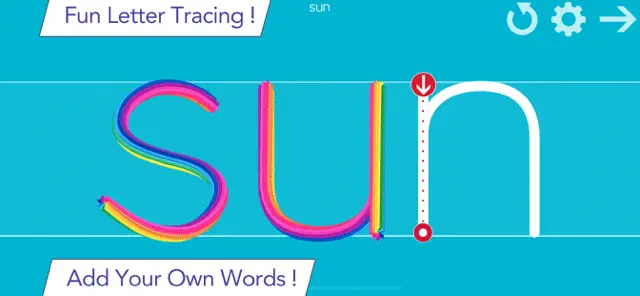
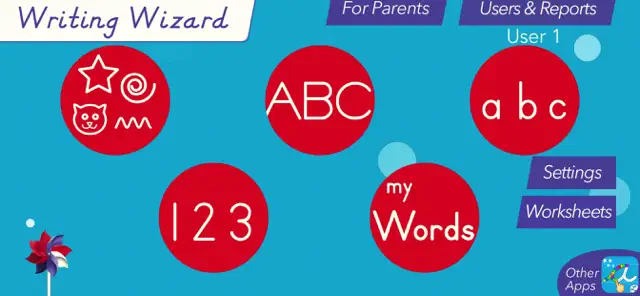
Writing Wizard is designed to help every child learn how to trace letters, numbers, and words through a fun system carefully designed to maintain motivation.

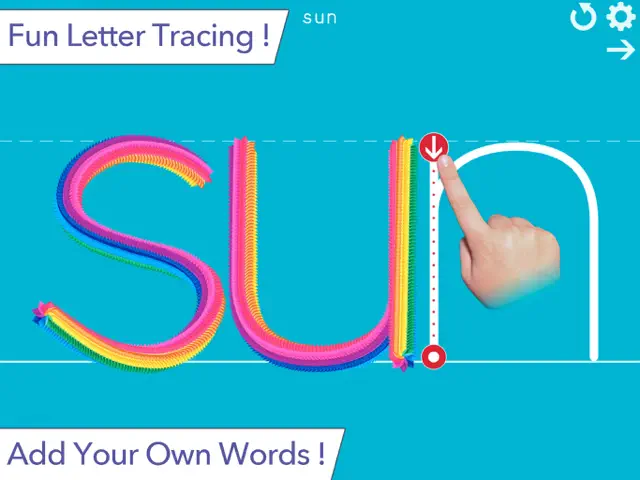
• Show and enforce how to trace letters correctly

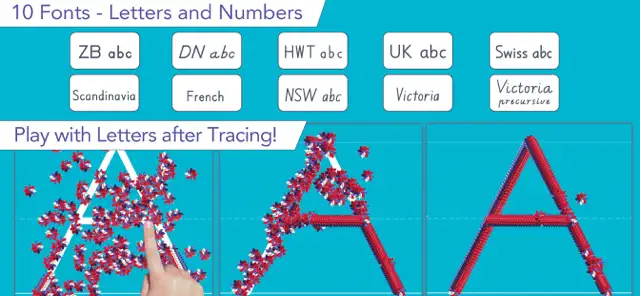
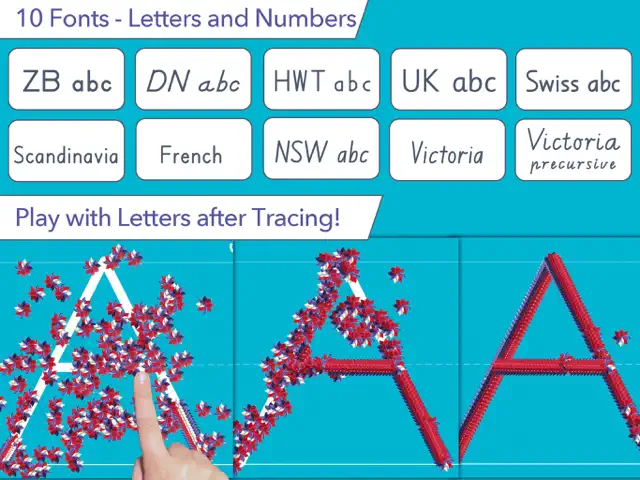
• 16 Fonts available (including 3 most popular USA fonts)

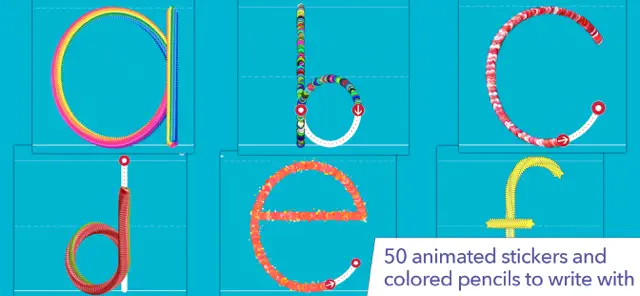
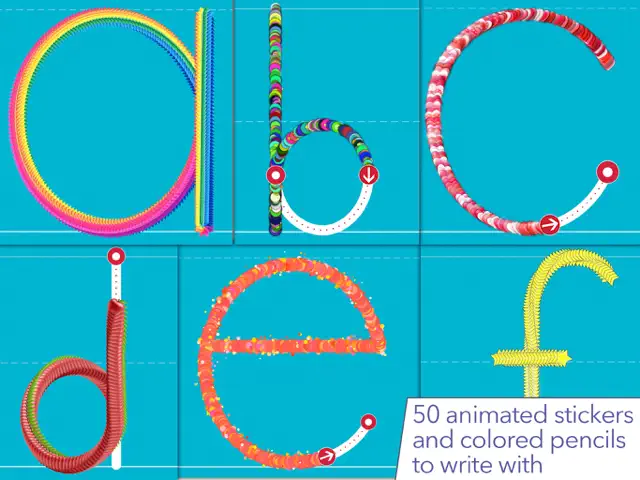
• Fun tracing using 50+ animated stickers, sound effects and interactive games that animate letters at the end of tracing

• Letter names and phonics

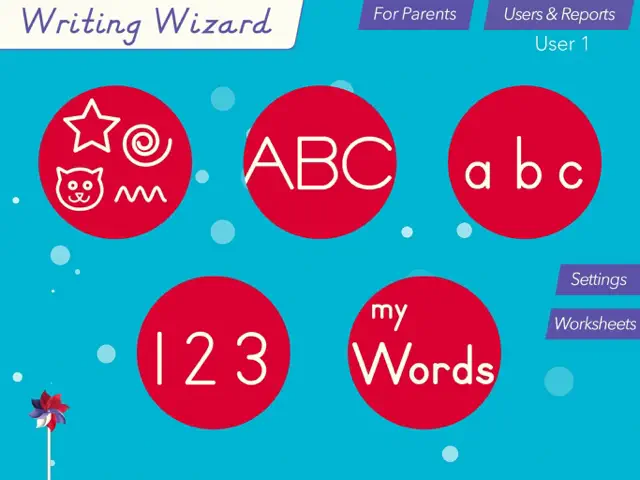
• Uppercase & lowercase letters, numbers and words

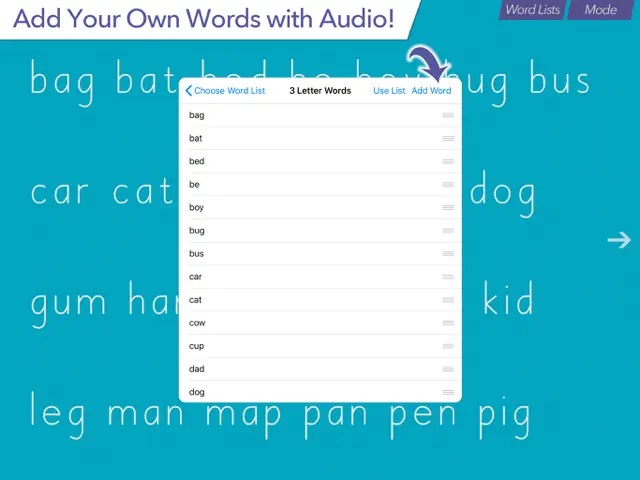
• Ability to create your own word lists (and record audio for each word)

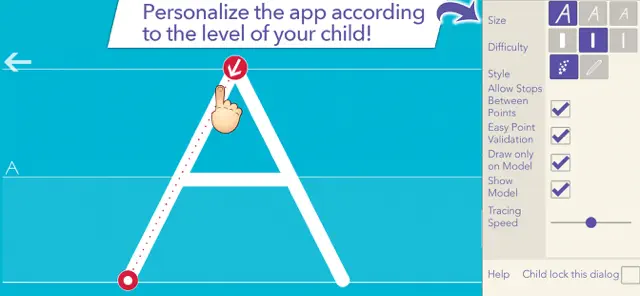
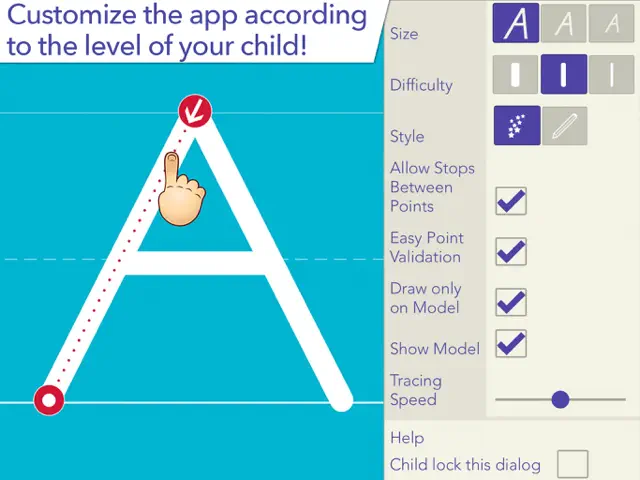
• Fully customizable to suit every child’s needs (letter size, difficulty,...)

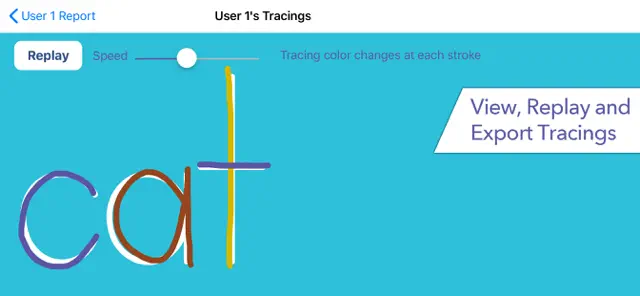
• Check progress thanks to reports that display what the child has traced

• Shapes tracing activity for toddlers

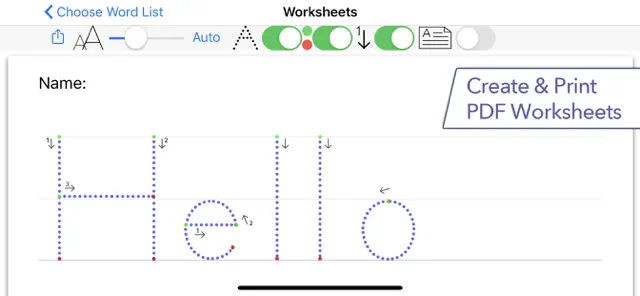
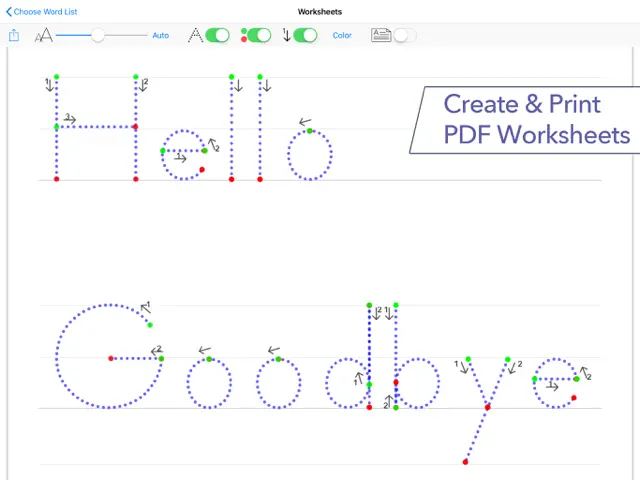
• Create PDF Worksheets and print them to help your child to write on paper

• Use Apple pencil to write at very small size

_______

ACCOLADES

• "Writing Wizard is the most complete and intelligent letter tracing app we’ve seen"" AppoLearning.com

• "This brand-new app should be the go-to for every parent, teacher and therapist to work on handwriting" - TOP PICKS - 5 stars - SmartAppsForKids.com

• "Writing Wizard by L’Escapadou is everything a parent wants in a handwriting app, and more." 5/5 - kids-app-reviews.com

• "L’Escapadou has made handwriting fun." AppyMall.com 5/5

• Listed in "20 best educational iPhone and iPad apps for kids of 2013" - appsplayground.com

• Editor's Choice Award for Excellence in Design - Children's Technology Review

_______

PERFECT FOR KIDS

Kids want to have fun, and Writing Wizard offers a lot of fun to keep them motivated in the learning process !

• They can trace using 50+ animated stickers and sound effects

• Once tracing is complete, they can interact with them on 4 games that animate letters

• They can trace any word - like their name - and record their voice for each word

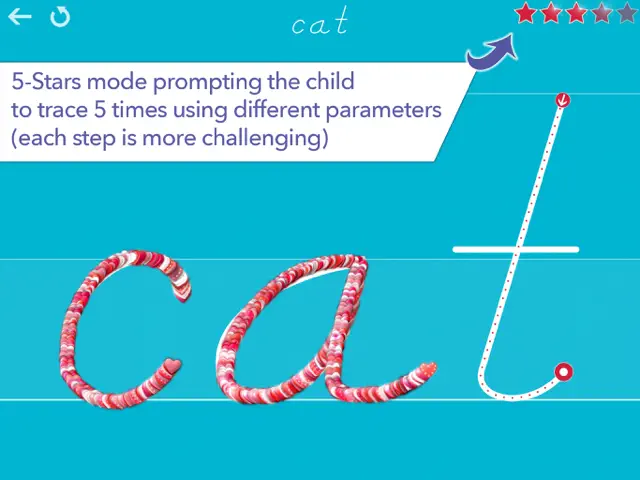
• They can collect stars in 5-Stars play mode

_______

PERFECT FOR PARENTS & TEACHERS

• Ability to create your own word lists (and record audio for each word)

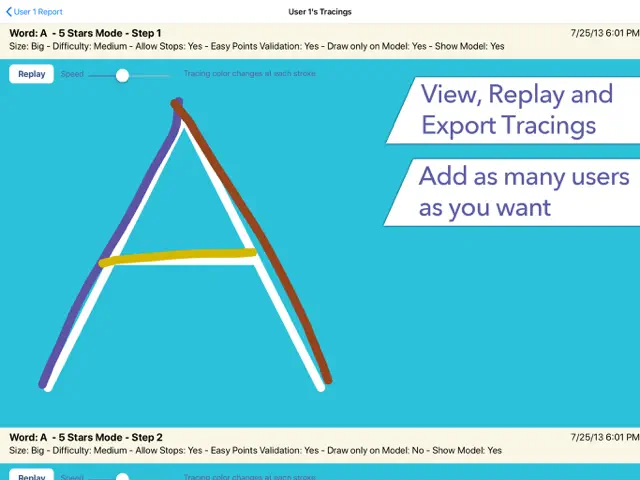
• Detailed reports provide information on what kids have done, including the ability to replay and export the tracings to view kids' progress

• Share word lists via iCloud drive or other cloud providers, adhoc network, or email

• Multiple parameters to customize the app according to the child’s current education level (e.g. letter size, difficulty, show/hide model, allow to stop between key points, etc.)

• 3 most popular fonts in the US (ZB, DN & HWT) and 13 international fonts (UK, Scandinavia,Australia, germany, France)

• Upper and lower case letters, numbers (and word lists)

• Letter names and phonics (which can be customized)

• A customizable 5-Stars play mode prompting the child to trace a letter or a word 5 times using different parameters (each step is more challenging)

• Create an unlimited number of users

• Many settings to customize the app (sound, game time limit, black background,...)

• In the A-Z section, special graphics available to match letters (e.g. ant graphic for A/a)

_______

Note that a free to try version is available (search for "Writing Wizard -Starter" on the App Store)

_______

Privacy Policy

KNOW WHAT'S INSIDE

As a Moms with Apps member, we follow the "Know what's inside" best practices for kids’ apps

L’Escapadou takes children’s privacy seriously. We believe you should not have to worry about your kids being tracked by apps or websites. This app:

• Does not collect any user information (we do not use data collection tools)

• Does not contain in-app purchases

• External Links: Protected parent sections are available where you can send us a mail and check out our others apps. Before accessing a parent section, an addition must be solved so that young kids cannot access it. *



Ratings & Reviews

4.3 out of 5 with 3334 Counts
★★★★★
★★★★★
★★★★★
★★★★★
★★★★★
Age Rating 4+

Screenshots

Writing Wizard - School Ed. screenshot 1Writing Wizard - School Ed. screenshot 2Writing Wizard - School Ed. screenshot 3Writing Wizard - School Ed. screenshot 4Writing Wizard - School Ed. screenshot 5Writing Wizard - School Ed. screenshot 6Writing Wizard - School Ed. screenshot 7Writing Wizard - School Ed. screenshot 8Writing Wizard - School Ed. screenshot 9Writing Wizard - School Ed. screenshot 10Writing Wizard - School Ed. screenshot 11Writing Wizard - School Ed. screenshot 12Writing Wizard - School Ed. screenshot 13Writing Wizard - School Ed. screenshot 14Writing Wizard - School Ed. screenshot 15Writing Wizard - School Ed. screenshot 16Writing Wizard - School Ed. screenshot 17

Writing Wizard - School Ed is a premier educational tool crafted to help children master handwriting fundamentals. Trusted by teachers and parents worldwide, the app guides young learners through tracing letters, numbers, and words using a fun, gamified approach. With customizable word lists, progressive difficulty levels, and rewarding animations that celebrate success, it turns handwriting practice into an engaging and encouraging daily activity.

Features

1

Trace letters, numbers, and custom words with guided audio and visual cues

2

Customizable worksheets and difficulty settings for parents and teachers

3

Detailed progress reports and star ratings

4

Child-safe interface with no third-party advertisements

Recommended Links

App Store Page

Official App Store listing for Writing Wizard.

Store

Gameplays

Q&A

Yes, you can easily add custom words, spelling lists, or names for your child to practice tracing.

More by Developer

You Might Also Like

All Categories

Puzzle Game

Action Game

Simulation Game

Casual Game

Adventure Game

Card Game

Roleplaying Game

Board Game

Sports Game

Strategy Game

Racing Game

Family Game

Casino Game

Music Game

Word Game

Trivia Game

Education Game

Games Game

Entertainment Game

Books Game

Utilities Game

Social Networking Game

Health & Fitness Game

Lifestyle Game